Operations Hub: The HubSpot Product Nobody Uses But Everyone Needs
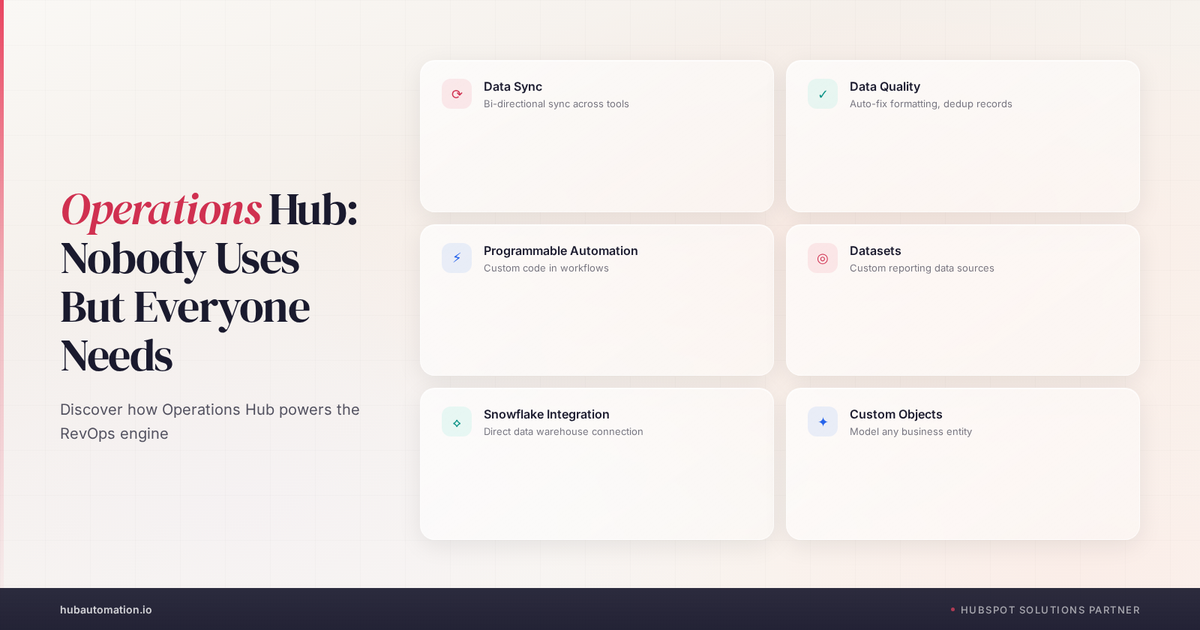
Here's the weird thing about Operations Hub: it's the HubSpot product that solves some of your biggest problems, and almost nobody uses it. Seriously. We talk to dozens of companies and maybe 20% of them have Operations Hub. The rest think it's not relevant to them. Or they think it's only for big enterprise companies. Or they don't know what it does. But here's the truth: if you have data quality issues, if you're manually syncing data between systems, if you want to automate complex processes, if you want to see what's actually happening in your database, you need Operations Hub. Let's break down what it actually is and why you should care.
The Problem: Your Data is a Mess and Nobody Admits It
Let's start with the painful truth. Your HubSpot database is probably a mess. Not because you're incompetent. But because data has a way of getting messy. People enter things inconsistently. Duplicates creep in. Old information doesn't get cleaned up. Fields go missing. Properties get abandoned.
You know this is true. You've probably found it already. Someone asks "How many deals are in stage X?" and you realize you don't actually know because deals are scattered across different stages depending on who's managing them.
Or someone asks "What's our customer count?" and you can't answer because you have 500 companies but you're not sure which ones are actual customers versus prospects versus partners versus integrations you tried once.
Or your CEO wants to forecast and you can't because the contract value field is blank on half your deals.
That's where Operations Hub comes in. It's the product that prevents this mess. That fixes the mess you already have. That gives you confidence that your data is actually good.
Here's the thing: HubSpot is powerful. But it's also permissive. It lets you do almost anything. And that freedom is great until you realize that freedom created chaos.
Operations Hub is where you put guardrails in place. It's where you say: "This data has to be this way." It's where you automate the boring stuff that's creating the mess. It's where you see what's actually happening in your database.
We like that. Pretty sweet that HubSpot built it. But nobody knows about it.
The Four Pillars of Operations Hub
Operations Hub has four major features. Let's break down what each one does and why you actually need it.
Pillar One: Data Sync (Integrations)
Let's say you're using Salesforce and HubSpot. Or Zendesk and HubSpot. Or NetSuite and HubSpot. You've got data in multiple places and you need it to stay in sync. You don't want to manually move data between systems. That's tedious. It's error-prone. It's a waste of time.
Data Sync lets you set up integrations that automatically keep your data synchronized across systems. You create a contact in HubSpot and it automatically syncs to Salesforce. You update the contact in Salesforce and it automatically syncs back to HubSpot.
This is powerful because now you have one source of truth. You're not managing data in five different places. You're managing it in one place and it flows everywhere else.
Here's what we love about Data Sync: it eliminates manual data entry. And when you eliminate manual data entry, you eliminate errors. That contact that was created in Salesforce with the wrong email? That doesn't happen anymore because the system is doing it automatically with the right data.
Pillar Two: Data Quality Automation
Okay, so you've got data sync set up. Your systems are talking to each other. But your data is STILL messy. Why? Because people.
Data Quality Automation is where you enforce standards. You create rules that say: "Deals can't be created without a contract value." "Companies can't move to customer without a primary contact assigned." "Deals can't close without a close date filled in."
When someone tries to violate those rules, the system stops them. Or it creates a task. Or it sends an alert. You get to decide. But the point is: your standards are enforced automatically. You're not relying on people to do it right. The system is doing it for you.
This is honestly one of the biggest ROI features in Operations Hub. Because data quality problems are insidious. They compound. One wrong entry becomes 100 wrong entries because nobody fixed it. And then your reporting is garbage. Your forecasting is wrong. Your decision-making is based on bad data.
But if you enforce standards, your data stays clean. And that's everything.
Pillar Three: Programmable Automation
Workflows are great. But they have limits. At a certain point, you need more power. You need custom logic. You need to do things that Workflows can't do natively.
That's where Programmable Automation comes in. It's basically the ability to write custom code (or use no-code tools) to build really complex automations.
For example: you want to automatically calculate the expansion opportunity for each customer based on their contract value, the number of employees they have, and their usage last month. A Workflow can't do that calculation. But Programmable Automation can. You write a custom action that does the calculation and updates a custom property with the expansion opportunity.
Or you want to automatically sync your Stripe data with HubSpot so that every time a customer makes a payment, it updates their customer record in HubSpot. A Workflow can't do that. But Programmable Automation can.
Here's what we love about Programmable Automation: it removes the ceiling. A Workflow can do 80% of what you need. But when you need that last 20%, Programmable Automation is there.
Pillar Four: Datasets
Okay, here's the one that sounds boring but is actually incredibly powerful. Datasets let you create custom tables of data that live in HubSpot but aren't part of the normal object structure.
What does that mean in plain English? It means you can create a custom table for things like: pricing tiers, territory assignments, product matrix, customer health scores, or any other data you want to reference.
And then you can use that data in Workflows and automation. So when a deal closes, you can look up the pricing tier and automatically calculate the first-year revenue. You can look up the territory assignment and automatically assign the account to the right person.
This is powerful because you can model your business logic directly in HubSpot without needing a separate database or data warehouse. For most companies, that's a game-changer. Pretty sweet.
Operations Hub is the HubSpot product nobody uses but everybody needs. Data Sync to keep systems in sync. Data Quality Automation to enforce standards. Programmable Automation for custom logic. Datasets for custom reference tables. Together, they solve data quality and automation problems that plague most HubSpot instances. Want to see what an optimized Operations Hub setup actually looks like? We've built a full Portal Audit that evaluates your data quality, your automation setup, and what Operations Hub features could help. Get your audit.
Real-World Use Cases: When Operations Hub Matters
So those are the four pillars. But what does this actually look like in practice? When would you actually use this?
Use Case One: You're Using Multiple Systems
You're using HubSpot for sales. You're using Zendesk for customer support. You're using Slack for communication. You've got data everywhere and nobody knows what's happening.
Operations Hub Data Sync can connect HubSpot to Zendesk so that when a support ticket is created for a customer, it automatically updates the customer record in HubSpot with support history. And when a customer moves from prospect to customer in HubSpot, it automatically creates a customer record in Zendesk.
Now your sales and support teams are actually aligned because the systems are talking to each other. And you save hundreds of hours of manual data entry.
Use Case Two: Your Data is Inconsistent
Your sales team uses "Negotiation" as a deal stage. But your success team uses "In Progress." So when a deal closes, the success team doesn't know about it because they're looking at a different status.
Operations Hub Data Quality Automation can standardize this. You create a rule that says: once a deal reaches "Negotiation," it automatically gets tagged with "Sales_Active." And then your success team can filter for that tag.
Or you have some deals with contract values and some without. Operations Hub can create a rule that flags any deal without a contract value and creates a task for the sales manager to follow up.
Now your data is consistent. Your reps can't create bad data because the system is stopping them. And your reporting is accurate.
Use Case Three: You Need Custom Calculations
You want to calculate the expansion opportunity for each customer. The expansion opportunity is: their current contract value × industry growth rate × expansion probability.
This is complex. A Workflow can't do it. But Programmable Automation can. You write a custom action that fetches the industry growth rate from a lookup table, calculates the expansion probability based on their usage, multiplies it by their contract value, and updates the customer record with the result.
Now every customer record has a calculated expansion opportunity. Your sales team can see it. Your forecasting can include it. Your strategy can be based on it.
Use Case Four: You're Managing Territory
You have 50 accounts. You have 5 sales reps. Each rep owns certain territories. When a new prospect comes in, they need to be assigned to the right rep based on their territory.
You create a Dataset with territory assignments. When a new company is created in HubSpot, a Programmable Automation rule looks up their zip code, checks the territories dataset, and automatically assigns them to the right rep.
Now you don't have to manually assign every deal. The system does it. And it's consistent. And it's fast.
Going Deeper: Why This Matters To Your Organization
So those are the four pillars and some real-world examples. But why does this actually matter?
Here's why: data quality is the foundation of everything. If you can't trust your data, you can't trust your forecast. You can't trust your reporting. You can't make good decisions. And honestly, you probably have reps doing workarounds because the system isn't working the way they need.
We've seen companies where Sales is using HubSpot one way. Finance is using it another way. Customer Success is using it a third way. And nobody's aligned because the system doesn't enforce standards.
Operations Hub fixes that. It's the product that takes a chaotic system and makes it organized. A system where you can trust the data. A system where automation handles the boring stuff. A system where you can actually run your business.
And honestly, that's worth a lot. Not just in terms of productivity. But in terms of confidence. When you know your data is good, when you know your automations are running, when you know your forecast is accurate... that changes everything.
The Implementation: How to Get Started
So you're convinced that Operations Hub is important. How do you actually implement it?
Start with Data Sync. If you've got data in multiple systems, get those systems talking to each other. You'll save hundreds of hours immediately. And your data quality will improve because you're not manually moving data between systems anymore.
Then move to Data Quality Automation. Look at your worst data quality problems. Where do deals get created without important information? Where do duplicates sneak in? Build rules to prevent that. Enforce your standards.
Then move to Datasets if you have custom reference data that you need to look up. Territory assignments. Pricing. Anything that changes periodically but you need to reference in your automations.
And finally, when you've mastered those three, move to Programmable Automation for the complex stuff that you can't do with the other tools.
The reason we recommend this order: you build momentum. You fix the problems that are most painful first. Then you tackle the next level. And by the time you get to Programmable Automation, your team understands how Operations Hub works and you can use it effectively.
What This Means For Your Portal
If you're not using Operations Hub, your HubSpot instance is probably running at 40-50% efficiency. That's not because HubSpot is weak. It's because you're missing the tools that make it powerful.
And honestly, this is where the real ROI of HubSpot happens. Not in fancy reporting. Not in better email templates. But in data quality and automation that removes friction from your business.
When your data is clean, your reps are faster. When your automations are running, your team is more efficient. When you have visibility into what's happening in your database, you can optimize.
And that's good for us. Because a well-run HubSpot instance, with Operations Hub doing the heavy lifting, is a system that actually works for your business.
The Common Mistakes We See
Before we wrap up, let's talk about the things we see teams get wrong with Operations Hub.
Mistake One: trying to implement all four pillars at once. That's too much. Pick one. Get it working. Then move to the next one. That said, if you're going to pick one, pick Data Quality Automation. That's the one that pays for Operations Hub immediately through cleaner data and fewer data quality issues.
Mistake Two: setting up Data Sync without thinking through what data should sync. You sync everything between systems and suddenly you've got a mess because you're moving stuff that shouldn't move. Think about your data strategy first. Then set up sync.
Mistake Three: building complex Programmable Automations without documenting them. Custom code is powerful. But if only one person knows how it works, and that person leaves, you're in trouble. Document your automations. Make them maintainable.
Mistake Four: thinking Operations Hub is only for big enterprise companies. It's not. Even a 10-person startup can benefit from Data Quality Automation. It's just about enforcing standards as you grow.
The Bottom Line
Operations Hub is the HubSpot product that solves some of your biggest problems. Data Sync keeps your systems in sync. Data Quality Automation enforces standards. Programmable Automation handles complex logic. Datasets let you reference custom data.
Together, they transform HubSpot from a CRM that's hard to keep clean into a system that enforces standards and works for you automatically.
If you're not using Operations Hub, you're probably dealing with data quality issues. You're probably manually moving data between systems. You're probably struggling with complex automations. And you're probably wondering why your HubSpot instance feels harder to use than you thought it would be.
Operations Hub fixes all of that. And most teams have no idea it exists. That's our favorite kind of hidden gem.
Want to see whether Operations Hub could help your instance? We've built a full Portal Audit that evaluates your data quality, your automation setup, and what Operations Hub features could solve your biggest problems. Get your audit here.
-Stu L, HubAutomation
P.S. Operations Hub is powerful but it requires some setup. If you want hands-on help implementing Data Quality Automation or setting up Programmable Automations, we offer implementation services. Let's talk about what would help.
Want to see where your blind spots are? We run free diagnostics for companies like yours.
Want to see where your CRM is leaking revenue?
We run free 30-minute HubSpot diagnostics. Your portal, on screen, live. You leave with a prioritized fix list, yours to keep whether you hire us or not.
| Book my free 30-min audit |